 OneTap Save
Audio Extraction · Local M4A Export
Extract M4A audio from web videos locally
Pull clean AAC audio as a ready-to-play .m4a file directly from playing MP4, HLS (.m3u8), or supported DASH web videos—without uploading large video files to online converters.
Quick summary: OneTap Save extracts compatible AAC audio tracks locally in Chrome, Edge and Firefox and saves them as
.m4a (with AAC fallback for supported HLS TS streams). Direct MP4 audio extraction is unlimited and free; HLS/DASH audio extraction shares the 3 free advanced downloads/day (unlimited with Pro).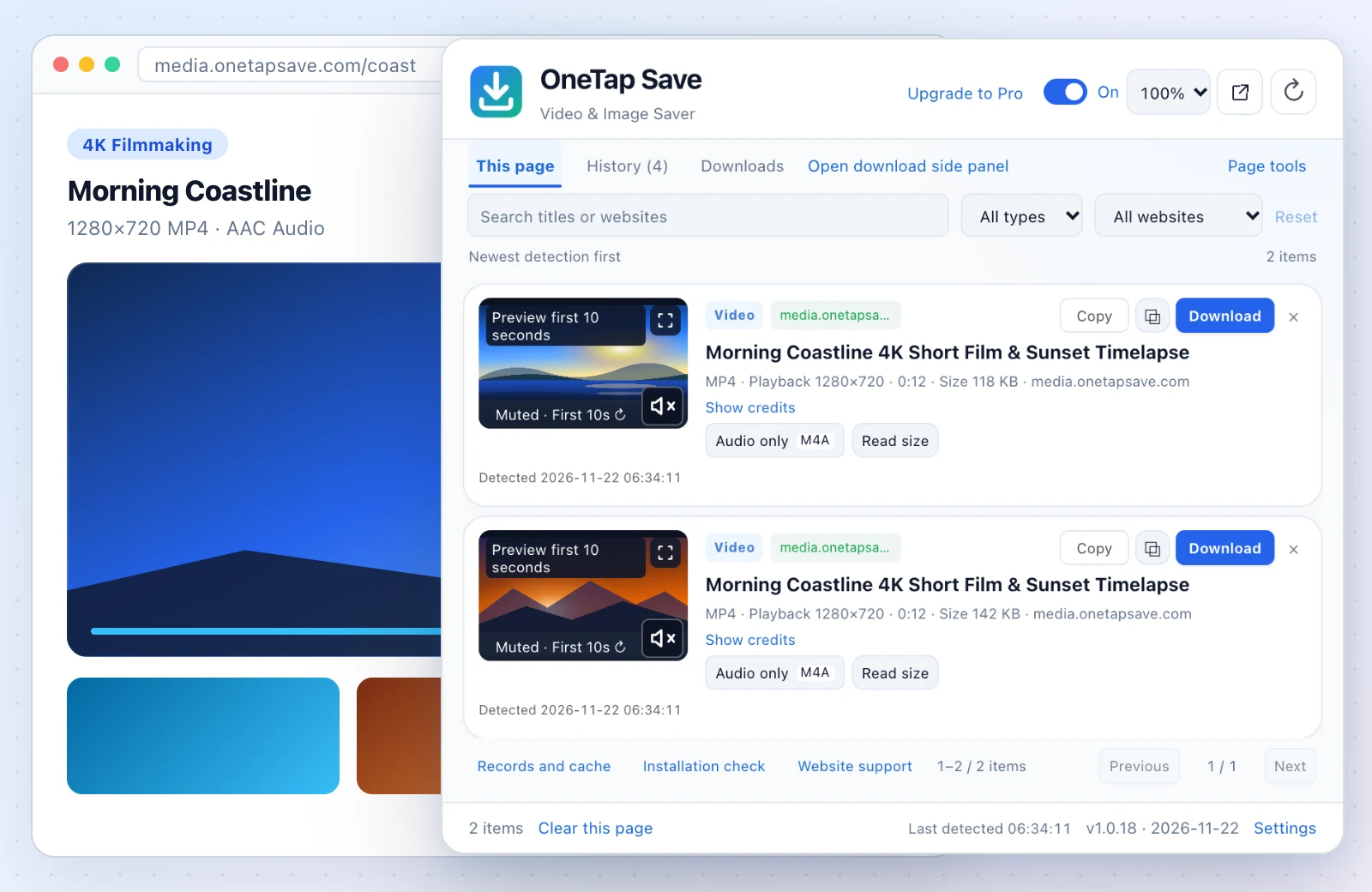
Why extract audio locally in your browser
- No re-encoding wait or quality loss: Extracts compatible AAC audio tracks cleanly into an
.m4acontainer on your computer instead of uploading gigabytes to a web converter. - Works across MP4, HLS/M3U8 & DASH: Supports direct HTML5 MP4 videos, segmented HLS streams, and compatible embedded audio players.
- Great for lectures, podcasts & language study: Save the spoken audio track from courses, talks, or interviews you have permission to keep for offline listening.
- Unlimited free on direct MP4s: Direct MP4 audio extraction uses zero daily advanced quota and needs no account.
- Playback speed & PiP bonus tools: Also control HTML5 video playback speed, Picture-in-Picture, and frame stepping on the same page.
How to extract M4A audio from a web video in 3 steps
- Open the video or audio page and press play: Start playback for 1–2 seconds in Chrome, Edge, or Firefox so OneTap Save detects the active media tracks.
- Click OneTap Save and pick Audio Only (M4A): Choose the audio-only / M4A option next to the detected MP4, HLS, or DASH stream.
- Extract locally and save as .m4a: OneTap Save extracts the audio track inside your browser queue and saves an .m4a file directly to your computer.
Online video-to-audio converters vs. OneTap Save
| Factor | Online Video-to-Audio Site | OneTap Save Browser Extension |
|---|---|---|
| Private or session-protected streams | Often blocked (HTTP 403 / CORS) | Reads from your active browser session |
| Upload wait & file size limits | Slow uploads & strict MB caps | 100% local extraction, zero upload |
| Pop-up ads & redirects | Common on free converter sites | Clean extension UI, no adware |
| Free quota | Throttled / ads | Unlimited for direct MP4; 3/day for HLS/DASH |
Frequently asked questions
What audio format does OneTap Save export?
It exports compatible AAC audio as a standard .m4a file (supported natively on macOS, Windows, iPhone, and Android). Supported HLS TS sources can fall back to .aac.
Is audio extraction free?
Direct MP4 audio extraction is unlimited and free with no account. HLS/DASH audio extraction counts toward the 3 free advanced downloads per day (unlimited with Pro).
Does it work on YouTube or DRM-protected streaming services?
No. The Chrome Web Store version does not support YouTube per store policy, and OneTap Save never bypasses DRM, paywalls, or private access controls. Save only audio you own or are authorized to keep.